
Collections
How to record a promise, dispute, or collection hold
Updated October 8, 2026
When a customer promises payment, or files a dispute on one or more invoices, you can pause collection effort on those invoices. Thor leaves them out when it checks how aged the account is.
Take an account with three invoices:
- Invoice 123, 5 days past due
- Invoice 456, 6 days past due
- Invoice 789, 10 days past due
If the customer promises or disputes invoice 789, Thor treats the account as 6 days beyond terms when it creates emails and call tasks.
Record the hold
Open Collections → Customers, search for the customer, and click Add Hold.
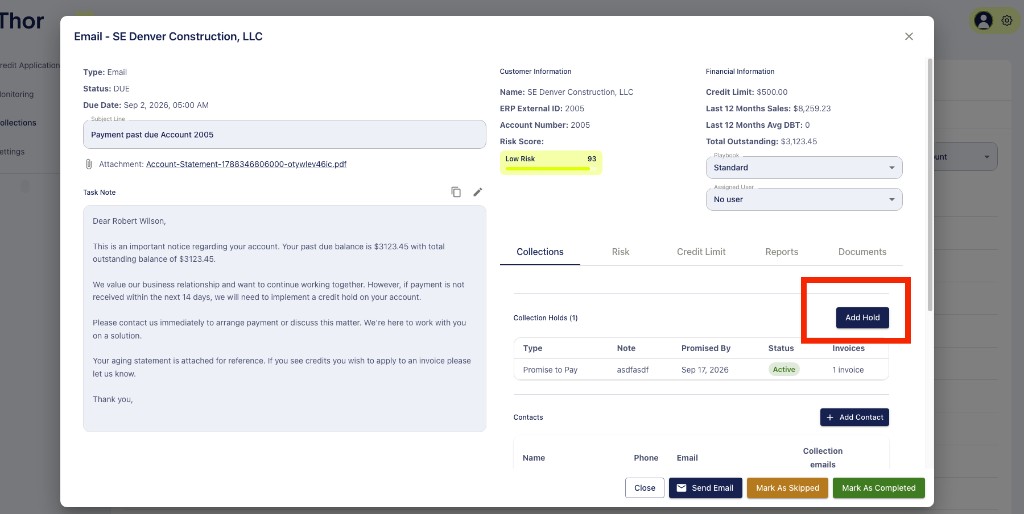
Select the invoice or invoices that were disputed or promised, enter a note, and click Save.
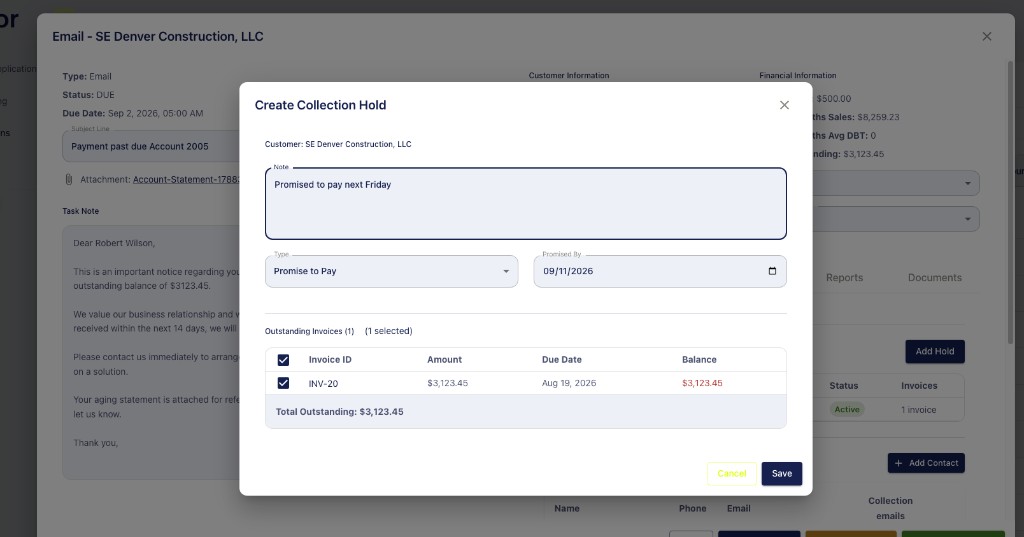
A promise pauses collection on those invoices until the promise to pay is broken. Collection then resumes on its own. A dispute keeps that invoice out of collection effort until the dispute is marked resolved in Thor.
To remove a dispute or a promise, open Collections → Holds and delete it.